GNOME Seahorse and the Annoying Keyring Prompt
TL;DR ✨
There is one thing in GNOME that has always managed to annoy me more than it should: Seahorse and its keyring prompts.
The idea itself is fine. The execution becomes annoying the moment you enable autologin and then, right after the first login, GNOME starts yelling for the keyring password anyway.
There is one thing in GNOME that has always managed to annoy me more than it should: Seahorse and its keyring prompts.
The idea itself is fine. The execution becomes annoying the moment you enable autologin and then, right after the first login, GNOME starts yelling for the keyring password anyway.
So here is the quick fix.
🔍 Find Seahorse
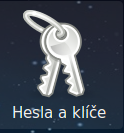
Open Seahorse. In Czech GNOME you may see it as Keys and Passwords.
🗝️ Unlock the Login Keyring
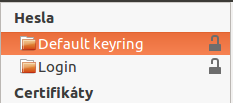
In the passwords section, right-click:
- Default keyring
- Login
Unlock it and choose to change the password.
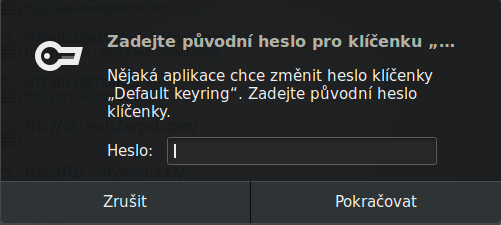
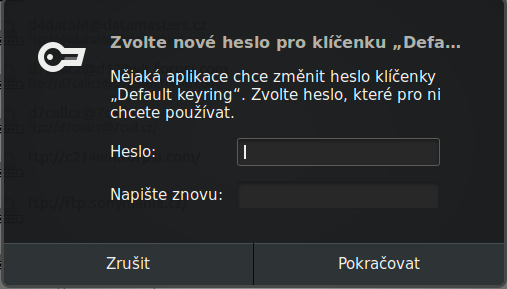
Enter the current password first. Then leave the new password empty and continue.
✅ Set It as Default
After that, right-click Login in the left panel and set it as the default keyring.
And that is it.
Your Seahorse-stored passwords are now effectively configured without encryption tied to that extra prompt, which is exactly why the pop-up stops bothering you.
⚖️ Trade-off
This is one of those fixes where convenience wins, but not for free.
You gain:
- fewer pointless prompts
- smoother autologin experience
- less daily irritation
You lose:
- another layer of protection for locally stored secrets
So if the machine is shared, physically exposed, or carries sensitive credentials, think twice before doing this.