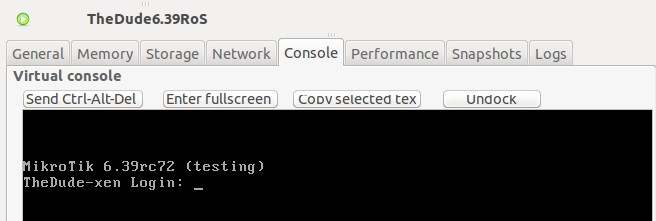
Running MikroTik RouterOS 6+ on XenServer
TL;DR ✨
Are you trying to run MikroTik RouterOS later than version 5.26 on XenServer? And it still refuses to work, doesn't it?
From the archive
This article was first published on 2017-04-23. It is also a snapshot of its time, so some details and recommendations may no longer reflect the current situation.
Are you trying to run MikroTik RouterOS later than version 5.26 on XenServer? And it still refuses to work, doesn't it?
The command line displays:
Loading Linux...................
Loading initrd.rgz............
Ready.
Do you know why? Because Viridian support is enabled in Xen:
The viridian flag is used by Xen to provide hyper-v style optimisations to Windows guests. However, if you try these with some linux kernels, strange things can happen. in XenServer, this is all handled with the built-in templates, there is little documentation on the flag its-self.
Taken from: https://blueprints.launchpad.net/nova/+spec/xenapi-support-linux-hvm
The following procedure shows how to resolve this problem.
Log in directly to Xen over SSH and use the following command to list all running machines and their UUIDs:
xe vm-list
The result will look something like this:
 Now take the UUID of the machine on which the author had been unsuccessfully trying to install a newer RouterOS version and disable that troublesome Viridian setting:
🔍 xe vm-param-set uuid=69818986-c6d7-3dae-28b8-b2af52d3d355 platform:viridian=false
Ta-da. Reboot the virtual machine, and that is it.