How to Choose the Right Wi-Fi Router
TL;DR ✨
This article is aimed somewhat at enthusiasts. It is not merely about buying a router; it adds enough background to examine the subject from several angles and with some perspective.
The electromagnetic spectrum includes every possible wavelength of radiation. Learned people divided it into categories according to how rapidly the radiation oscillates.
From the archive
This article was first published on 2016-11-15. It is also a snapshot of its time, so some details and recommendations may no longer reflect the current situation.
This article is aimed somewhat at enthusiasts. It is not merely about buying a router; it adds enough background to examine the subject from several angles and with some perspective.
✨ Theory:
How does the 2.4 GHz frequency behave?
The electromagnetic spectrum includes every possible wavelength of radiation. Learned people divided it into categories according to how rapidly the radiation oscillates.
This image from school textbooks and Wikipedia may refresh that old knowledge:
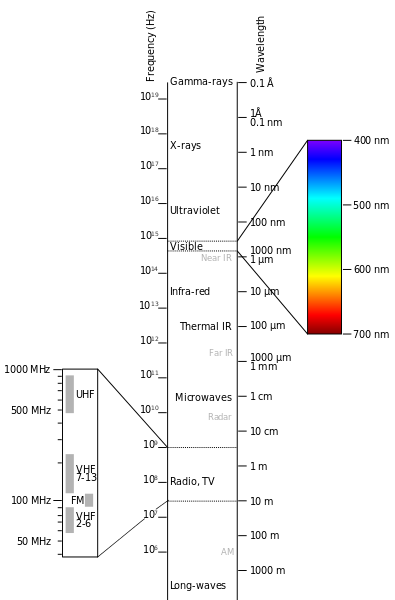
According to Max Planck's energy equation, the greater the energy, the lower the frequency. The lower the frequency, the better it passes through material.
Put differently: hospital X-rays have high energy, reveal bones, and are dangerous to work with. Radio Impuls waves have low energy, do not affect human health, and are relatively safe to broadcast outdoors.
What range do waves have?
The longer the wave, the greater its range; the higher its frequency, the more information it can carry.
Radio Impuls, at around 100 MHz, needs only a few transmitters to cover the whole country.
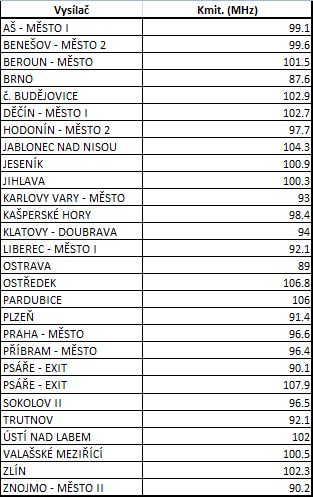
Mobile operators use frequencies around 800 MHz, which is what enables phone calls. Coverage is good in cities; it may struggle in a pub cellar but usually still works, and the signal covers most of the Czech Republic. More transmitters are needed.
Now to home routers. Radio-frequency radiation around 2.4 GHz (= 2400 MHz) lies near microwaves and has a wavelength of several centimetres. Loosely speaking, it resembles a domestic microwave oven, but at far lower transmit power, so a home router cannot roast a chicken. One may imagine these invisible, imperceptible waves several centimetres long moving everywhere around one's head. There is no need to worry: 2.4 GHz router transmissions are regulated, and manufacturers must comply before selling their products. Consequently, manufacturers all start from the same position and cannot legally supply a router more powerful than the standard allows. They can, however, create the appearance of doing so, as explained below.
2.4 GHz waves have reasonably good range for homes. When they strike a material, they transfer some energy to it; some is absorbed and emitted as other radiation, usually at lower energy, and some is reflected. The important factors are:
- The type of material: masonry, brick, wood, concrete, or glass.
- Its thickness: 1 cm, 10 cm, or a 60 cm wall.
Common sense suffices here. Roughly 95% of radiation passes through 1 cm of glass, while 60 cm of glass transmits less. One centimetre of concrete transmits less than one centimetre of glass, without needing exact figures; a 60 cm concrete wall may be treated as an insulator. From best to worst permeability, the materials in between can be ordered as glass, wood, brick, and concrete.
This animation gives a good approximation of how waves travel through a home.
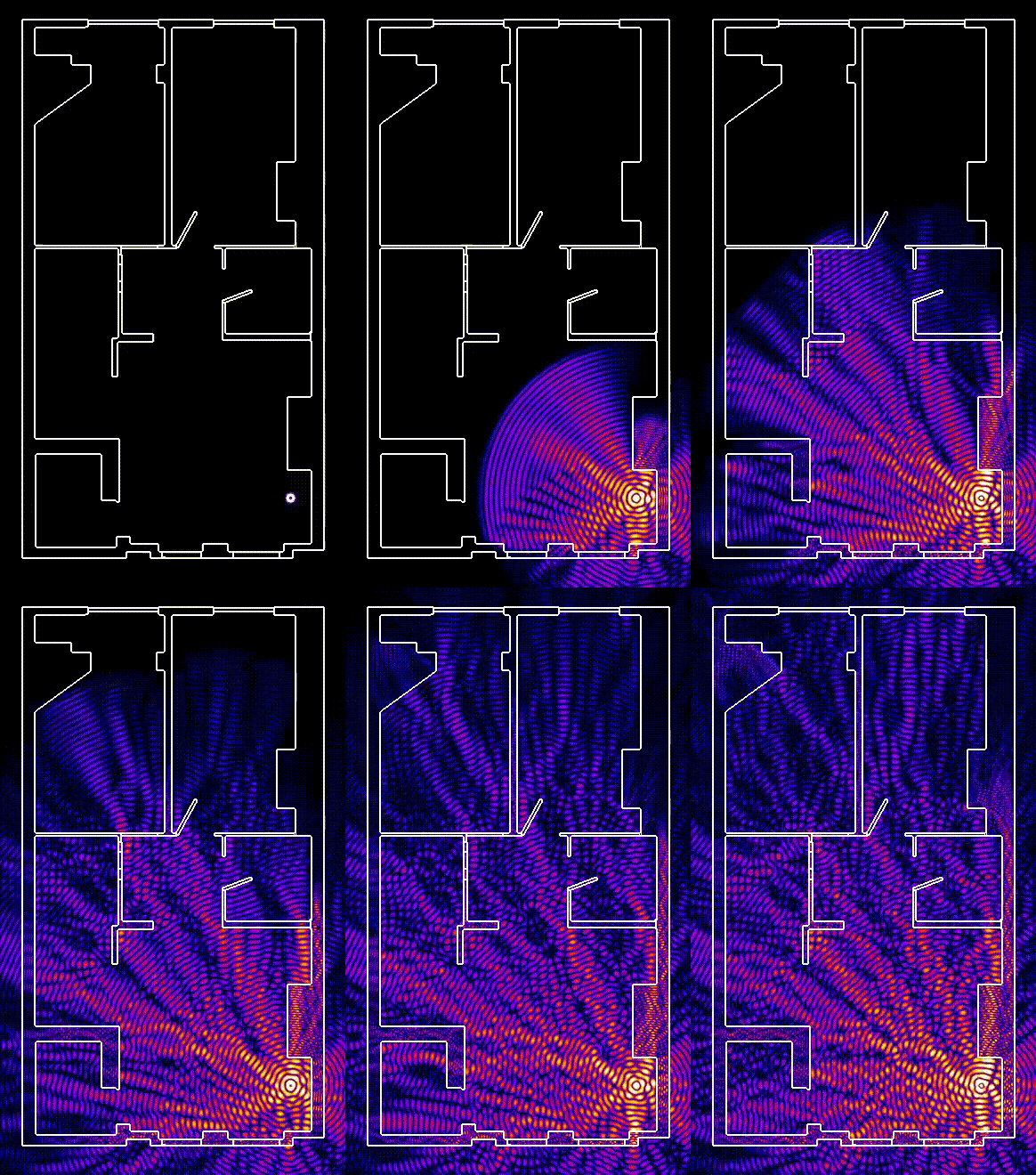
The key property of 2.4 GHz is its reflectivity. Direct line of sight between two points is ideal. In a typical home, however, the router is in the living room, the kitchen lies beyond two doors, and the toilet is just behind it. The customer asks whether Wi-Fi will reach the toilet.
The signal passes through wooden doors and the kitchen, but reflected signal can also leave the living room by another route, reflect from a brick wall, and reach the toilet. There is a catch. Phones show Wi-Fi strength with three bars: full bars mean a strong signal and one bar a weak one. Yet signal strength only says how well the phone can see the router; it does not say how well they can hear each other. At two metres with a thick wall between them, strength may be excellent while communication is poor and CCQ is around 20%. Likewise, two neighbouring routers on the same frequency transmitting data interfere as equal-frequency waves recombine and cancel each other. Signal strength may therefore be excellent while CCQ is near zero.
✨ Practice:
With that background, one router may or may not cover a home, and routers can interfere with each other; in such cases a more expensive router will not help. A buyer must know what is needed. Assuming that a higher price automatically means better results is wrong: price cannot defeat physics.
The cheapest category
Sorting routers on Alza.cz by price produced this view:
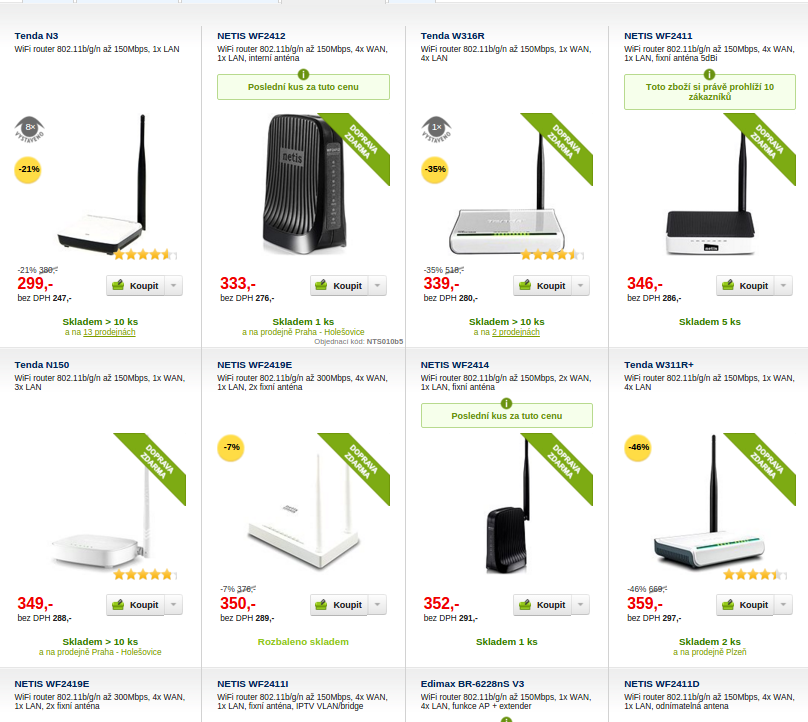
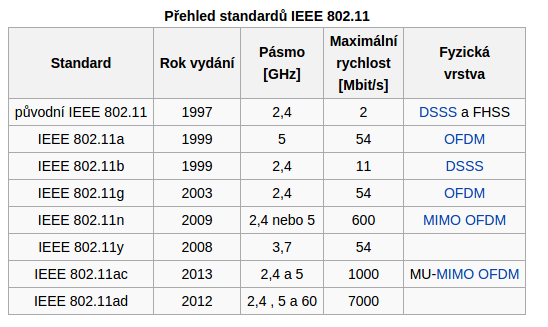
Tenda occupied the cheapest category. These routers typically had four LAN ports and one WAN port. Except for the NETIS WF2419E, each had one antenna and a theoretical maximum transfer rate of 150 Mbps. “Theoretical” means measured in ideal conditions and provides an absolute comparison between hardware components; it does not mean real throughput is 150 Mbps.
A single-antenna router is suitable when the laptop, phone, or tablet does not have two integrated antennas on its Wi-Fi card. Finding that out requires searching online. The other consideration is the transmitted standard. Without dwelling on it: if it does not support “n,” do not buy it; b and g are obsolete. The author's recommendation was the TPLink WR741N.
The second price category (the ideal choice)
This category is characterized by a two-antenna system:
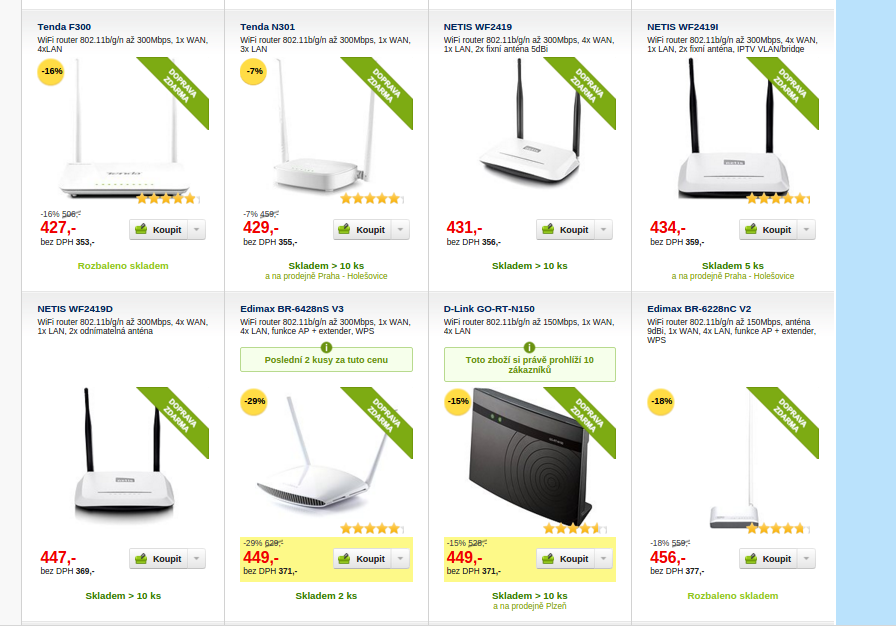
The author generally recommended that ordinary users buy a two-antenna model. It is simpler, avoids checking which devices have a single polarization, and leaves another polarization capable of carrying packets and maintaining the signal if one is disrupted. Two antennas do not improve penetration; physics remains unchanged. Their advantage is up to twice the transfer rate. After several years' experience, the author's recommendation was the TP-Link WR841N: easy to configure, reliable, trouble-free, and equipped with a good graphical interface.
Approximate real-world figures were 15–20 Mbps for a single-antenna router and 30–50 Mbps for a two-antenna router. In an apartment block, even a two-antenna model might sustain 50 Mbps for three minutes, fall to 10 Mbps, then rise to 30 Mbps. The only dependable connection is router–cable–computer.
Two antennas should theoretically form a 45-degree angle; in practice, their exact position hardly matters. Cat owners may prefer integrated antennas so paws cannot batter the external ones.
With a 300 Mbps fibre connection, none of that capacity can realistically be pushed through a 2.4 GHz router. If both PC and router have gigabit ports, the full provider bandwidth can pass over cable; the cheapest GLAN router cost around CZK 1,000. A 5 GHz ac router was another option, but cost several thousand. The author asked whether such speeds were really needed for email and Facebook.
Higher price range
Above CZK 1,000, models became too specialized to generalize: some offered a firewall, print server, FTP server, gigabit ports, or three or more antennas. The author recommended that ordinary users avoid this category.
How can signal strength appear greater?
Through antennas. A detachable antenna can be replaced with one having more dBi, but higher gain does not automatically mean longer range. A low-dBi antenna radiates more vertically, including to higher floors; a higher-dBi rod antenna radiates more horizontally. A badly placed router or incorrectly oriented antennas will therefore fail to provide the intended benefit.
🌐 Finally, a little about 5 GHz on home routers
The author recommended it only with provider connectivity above 100 Mbps and an active need to transfer large volumes of data between machines internally or externally. Otherwise it was unnecessary. The 5 GHz band would be discussed in more detail later.